New app released: MultiDeck Audio Player
2026-01-23 by Steffen
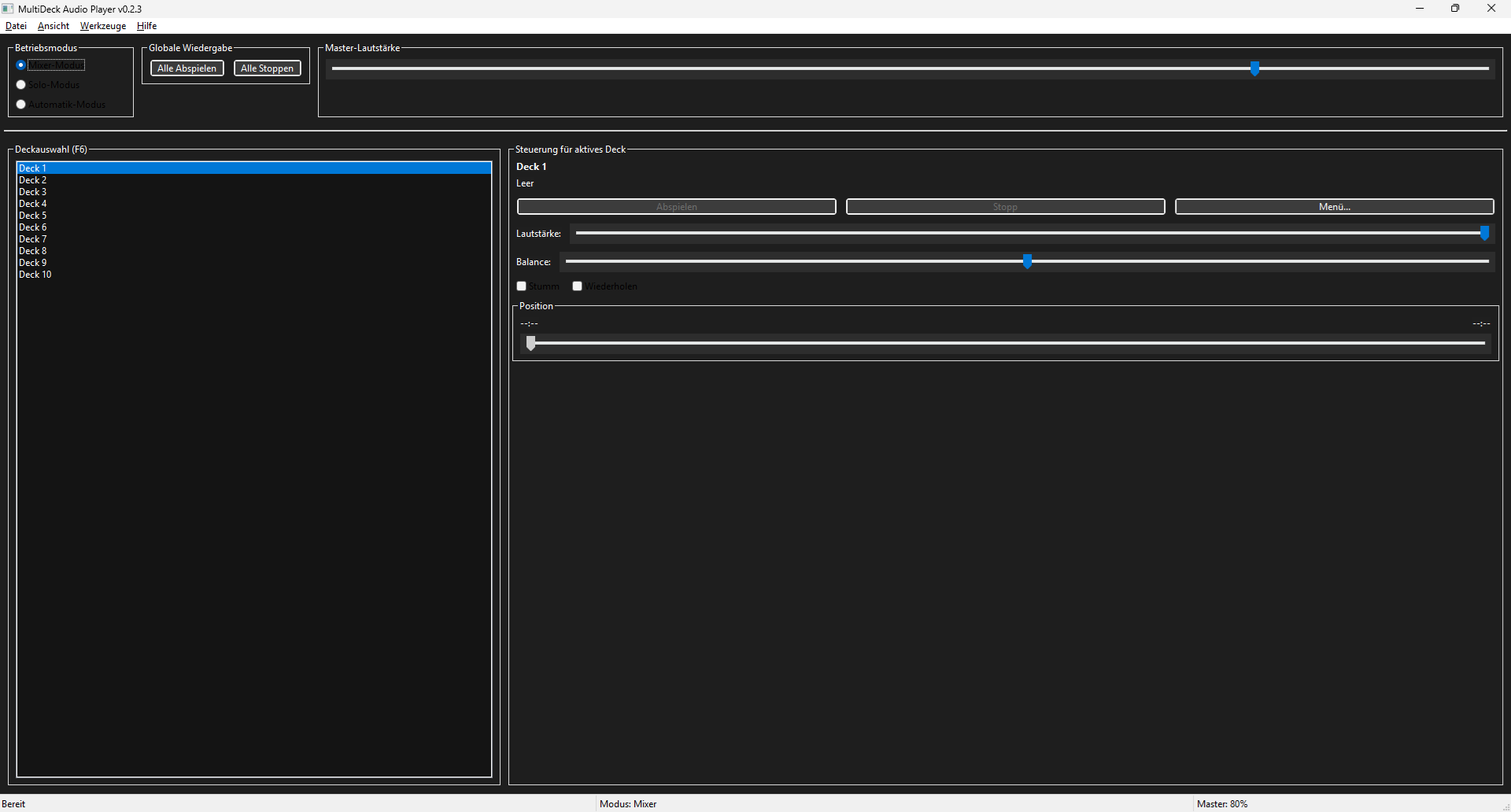
Who hasn't wanted to play all their favourite songs at once instead of painstakingly selecting them one by one from a playlist on their preferred streaming service? I'd rather not imagine the resulting cacophony, but my new MultiDeck Audio Player can theoretically accomplish this musical feat. Of course, the programme was originally intended for completely different purposes.
From development plan to finished application:
The MultiDeck Audio Player was born from the idea of monitoring multiple internet streams simultaneously. For example, it should be possible to load four streams into a playlist and then play them alternately every minute. Conventional media players tend not to offer such functions, and even professional radio automation systems often struggle with such tasks, despite it being theoretically possible. I tried out various systems, each of which had one problem or another. I'll spare you the technical details. Most of the time, there were difficulties switching seamlessly from one stream to another.
Eventually I decided to create my own player with an interface modelled on a multi-track DAW. This would allow several audio files to be loaded at the same time, with each file having its own controls on its own audio track. All files would be played simultaneously to ensure a seamless transition when switching between tracks. Thus, the MultiDeck Audio Player was born. The name 'MultiDeck' is reminiscent of old tape decks, which were only available in double versions at most. As it was impossible to implement such an extensive project within an acceptable timeframe by studying all the Python and GUI documentation, I gave my ideas to Claude and asked it to create a detailed development plan. After just one day working with claude code, I had a working prototype.
Ready for the ultimate listening experience?
At the heart of the application are three different operating modes. First, there is mixer mode, which mixes all loaded files together. This is ideal for creating sound collages with nature sounds, or headache-inducing music mixes if you really want to. Then there is the solo mode. As the name suggests, only the active deck is played back while the others are muted. This feature is also standard in professional DAWs. The third operating mode is automatic mode. This was the original inspiration for the software. It is an enhanced version of solo mode, where the mixer switches between all active decks at set intervals. Configurable crossfading between tracks is supported.
The deck view to the right of the selection list contains a number of controls. In addition to the standard play/pause and stop buttons, there are integrated volume and balance sliders. In mixer mode, these can be used to turn down the volume of individual files and prevent the overall mix from being distorted. Mono files can be moved to the left or right in sound collages using the balance control. A context menu with more options is also available for each deck. A global playback control completes the mixer, allowing you to control all decks simultaneously.
I've also incorporated a few additional ideas. For instance, the MultiDeck Audio Player features a project management tool enabling you to load and save mixer configurations and loaded audio files as extended playlists. There is also a recording function with an optional pre-roll buffer, so you never miss any exciting moments from the streams you are monitoring. The player's features are rounded off by extensive programme settings, a multilingual interface and light and dark themes.
Availability
MultiDeck Audio Player is open source, and the Python code can be found on GitHub. A pre-compiled version for Windows is available on this page or in the GitHub releases. In theory, the player should also run on Mac and Linux, but this has not yet been tested. Make sure to install FFmpeg on your system, otherwise the player can only play WAV files. Although the app was largely designed according to my specifications, I am open to suggestions for improvement. Who knows? Perhaps there will eventually be a separate AI that creates a cool mix from the cacophony of your favourite songs in the end.
About Steffen
An average nerd with 100% eye damage, raised in eastern Germany. I gained my first computer experience with MS-DOS, and I drove my instructors crazy by tinkering with QBasic piano lessons. 😁 Since then I have worked with many desktop and mobile systems. The software I use can be simple or complex, but if I can't grasp its fundamentals within five minutes, it's not suitable for me.